
Apps & Permissions
Every integration (240+ apps) can be tuned per tool:- Tools are grouped into read-only and write/delete — so you see at a glance what’s harmless and what acts in your systems.
- Each tool can be allowed or blocked individually, and scoped to everyone or specific groups.
- Whole apps can be moved to a Restricted section — usable only on request.
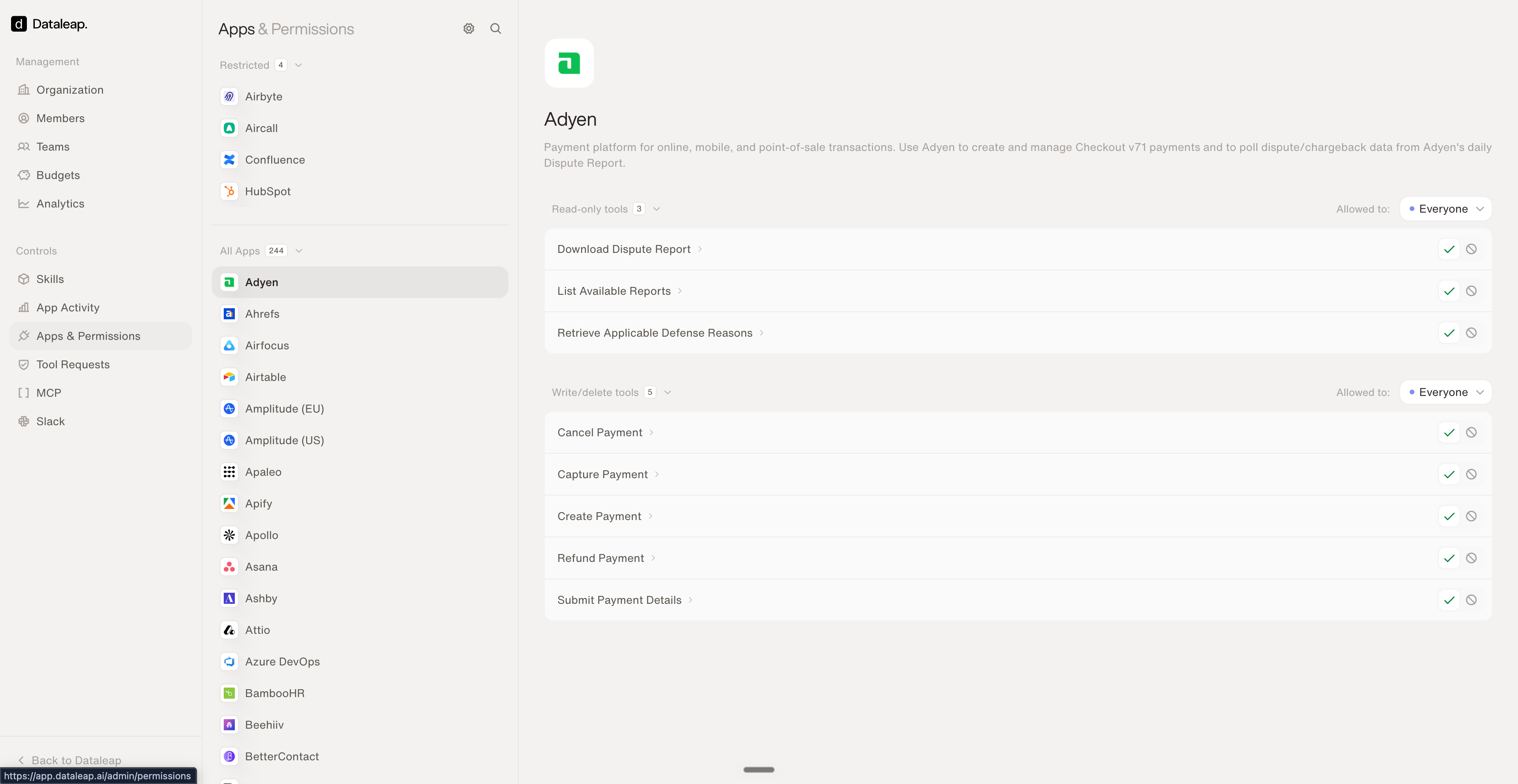
Per-app, per-tool control: read-only vs. write tools, allowed audiences, restricted apps.
Tool Requests
When someone needs a restricted tool, they don’t email IT — they request it in Dataleap, and admins approve or reject with one click. Every request keeps its status (open, accepted, rejected), so decisions are documented.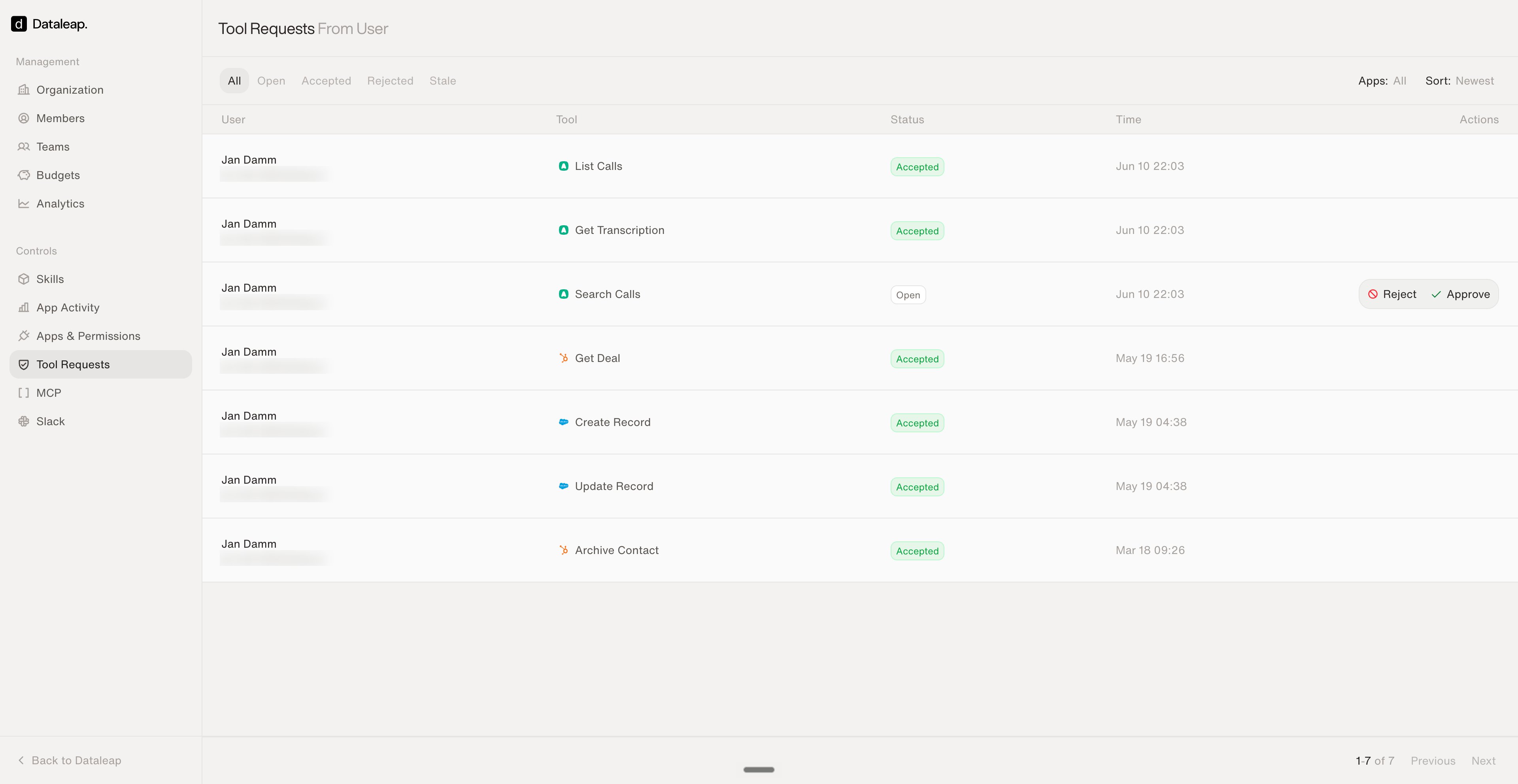
Access requests with a one-click approve/reject workflow.
App Activity
The audit trail: every tool call across the organization, live — which integration, which tool, which agent, executed as whom, and whether it succeeded. Filterable by time range, integration, status, and user.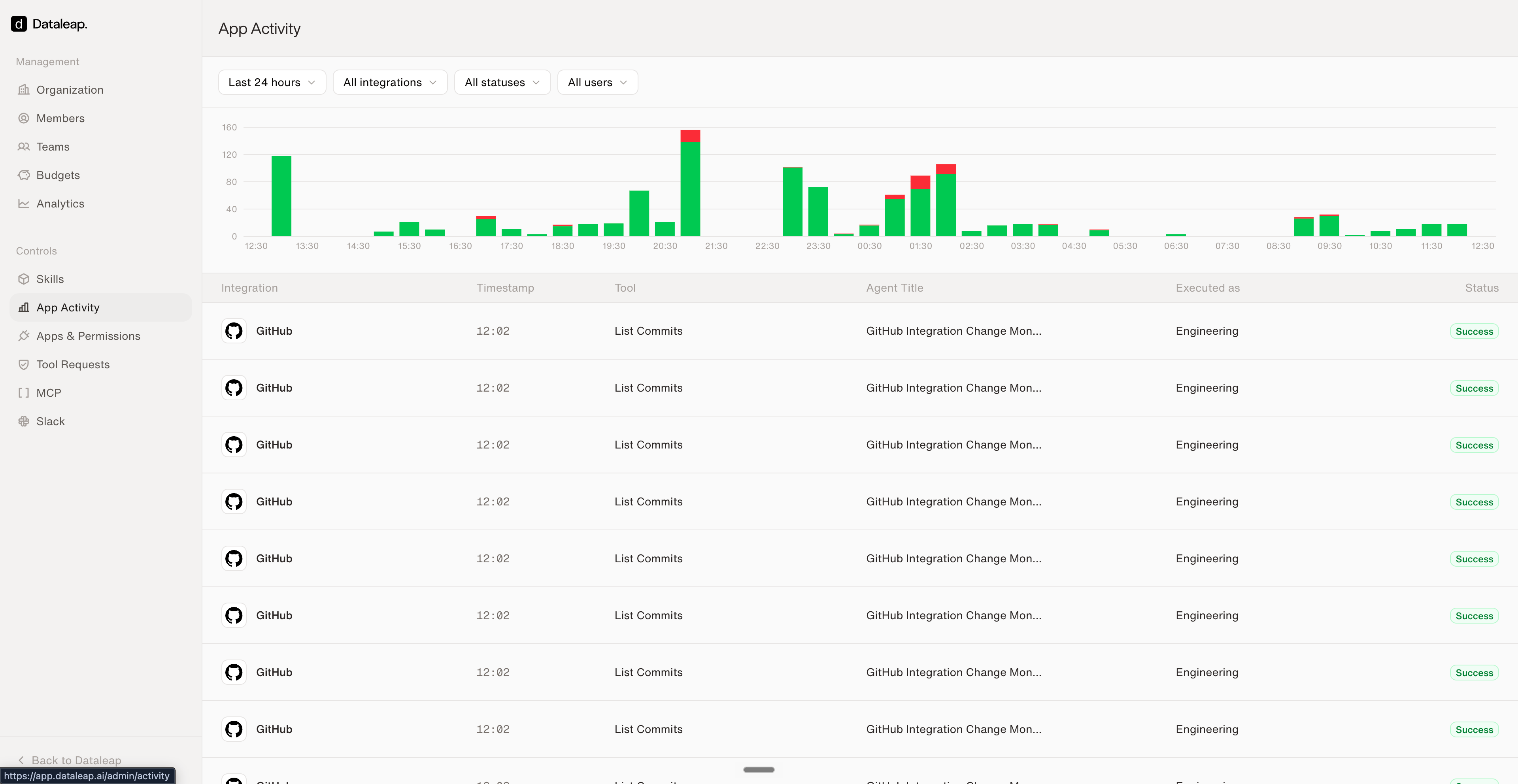
Every tool call in the org — filterable, with success/failure status.
MCP servers
Beyond the built-in integrations, admins can add custom MCP servers (OAuth or bearer token) — internal tools become agent-usable, with synced tool lists and per-server enable/disable.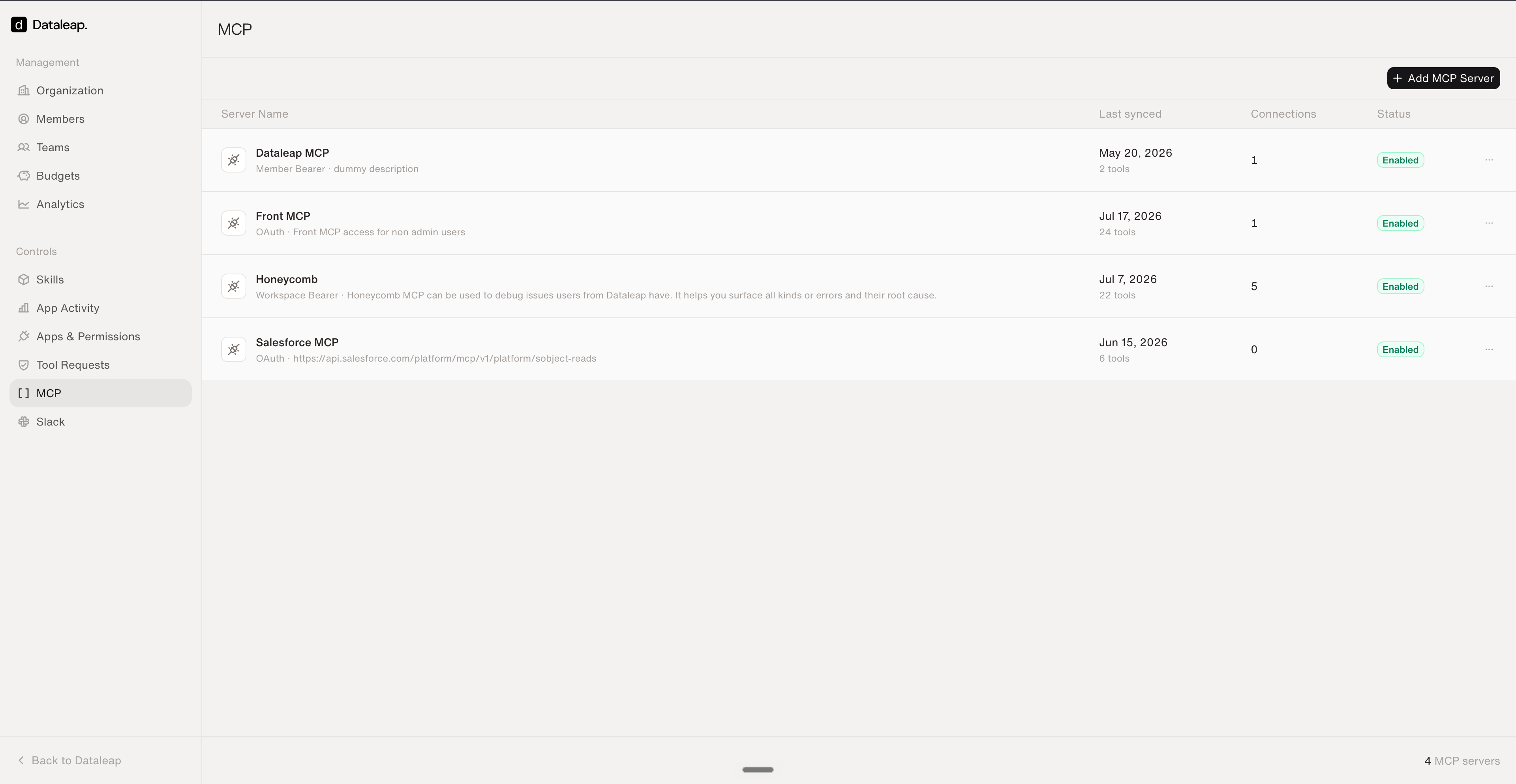
Custom MCP servers: bring your internal tools to your agents.
Two governance layers from elsewhere complete the picture: the org-wide system prompt (rules every agent follows, regardless of tools) and service accounts in team spaces (scoped access that survives personnel changes).
Connect your tools
The builder side: how agents get their connections.
FAQ
The questions builders actually ask.