
Level 1: Connect the tool to your account — once
The first time a workflow needs a tool you’ve never connected, Dataleap tells you and prompts the sign-in right in the chat:“No existing Jira connection in your account, so I’ll create a new one — this will prompt an OAuth authorization on your end.”You click Connect, sign in once, done. From then on, that connection exists for your whole account.
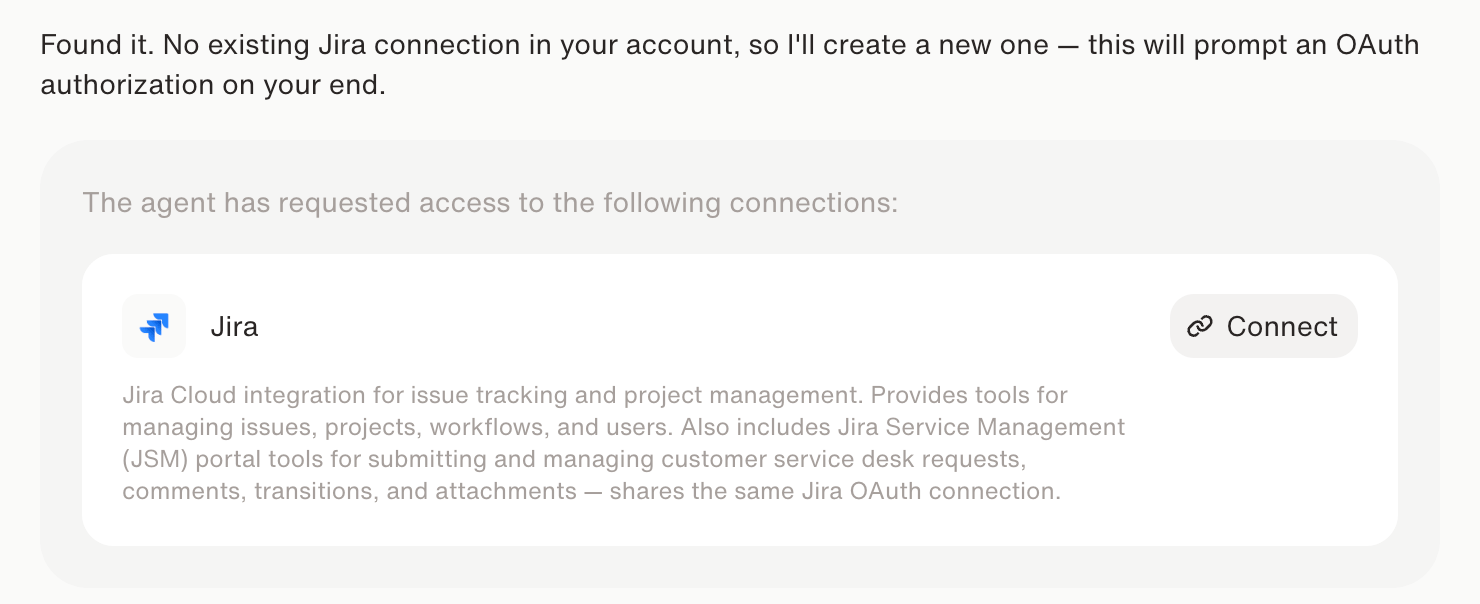
First-time connection: one click, one OAuth sign-in.
You can also set up connections ahead of time under Settings > Connected Apps — the same place where you reconnect an expired login or review what’s connected.
Level 2: Activate it for the workflow — with exactly the permissions needed
An account-level connection doesn’t give every agent free rein. For each workflow, the agent requests the specific tools it needs from that connection — and you see every single permission before approving: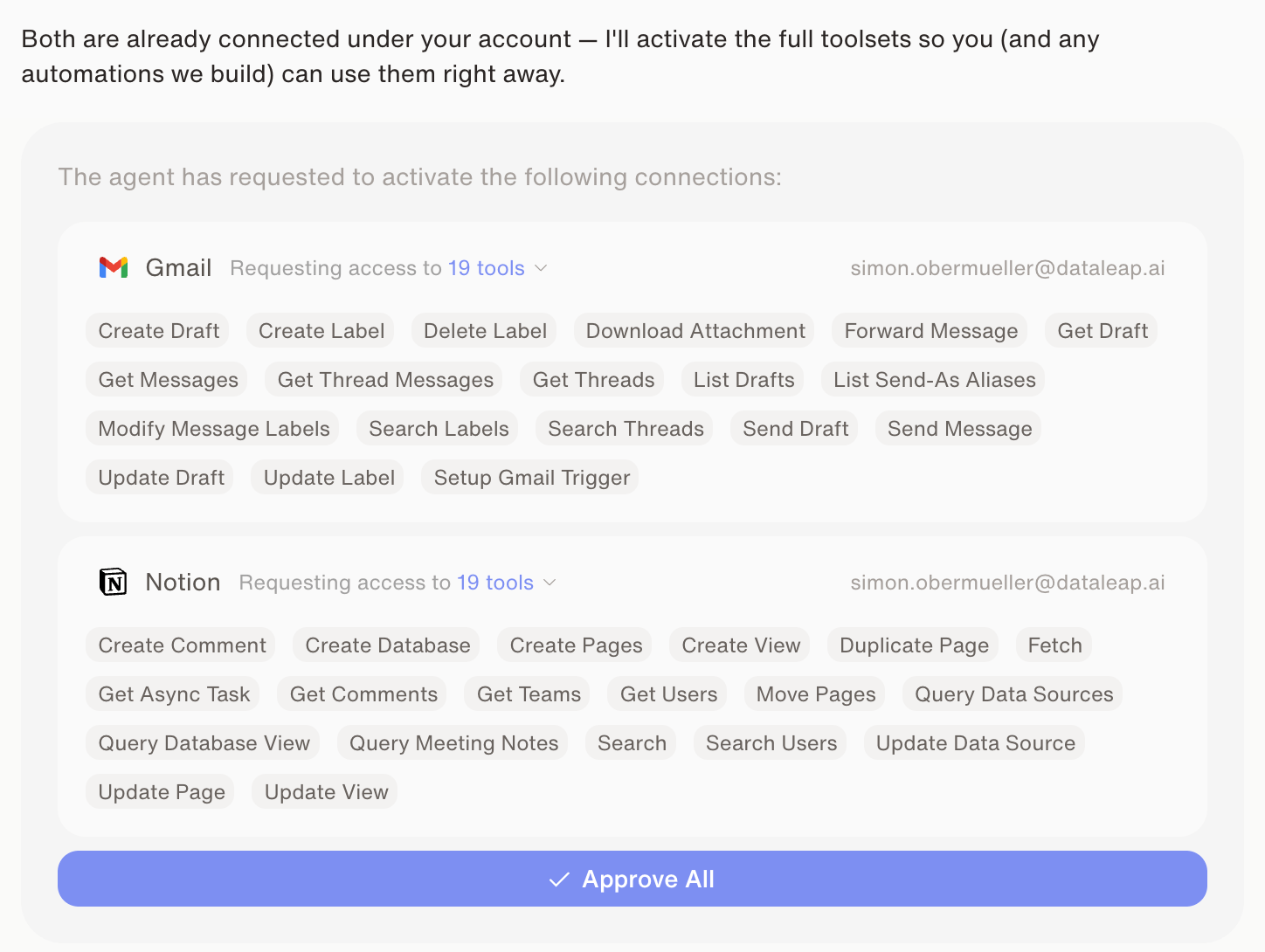
Every permission is visible — and the set is as small as the workflow allows.
What this means in practice
1
You describe the job
“Give me a briefing before every meeting, based on my calendar and my emails.”
2
Dataleap names what it needs
“For that I’ll need access to your calendar and your email — please connect your Google Calendar and your Gmail.” New tools get the one-time account connection; known tools go straight to the permission request.
3
You approve
Review the requested permissions and click Approve All. Connections are reusable — the next agent that needs Gmail skips level 1 entirely.
Watch: Connecting your tools
See the connection flow in action.
Add knowledge
Next: give the agent your reference material.
Apps & permissions
The admin view: tool-level permissions and governance.